
BOMs
A BOM (bill of materials) is a list of part lines that together describe an assembly. Each line says “use N of part X, mounted at Y”. A PCB BOM has hundreds of lines; a top-level product BOM may have only a dozen, each pointing at a sub-assembly.
Single-level by design
BOMs in simple-plm are single-level: each BOM lists only direct children, never grandchildren. Multi-level assemblies are achieved by composition — a top-level BOM lists a sub-assembly part, and that sub-assembly has its own BOM. This keeps each YAML file readable and each change atomic.
Line fields
| Field | Purpose |
|---|---|
part | The child part number. |
qty | How many. Integers for discrete parts, decimals allowed for raw material. |
unit | Optional unit override (default is “each”). |
reference_designators | List of board references — ["R1", "R2", "R3"]. |
alternates | List of equivalent parts the buyer may substitute. |
How edits land
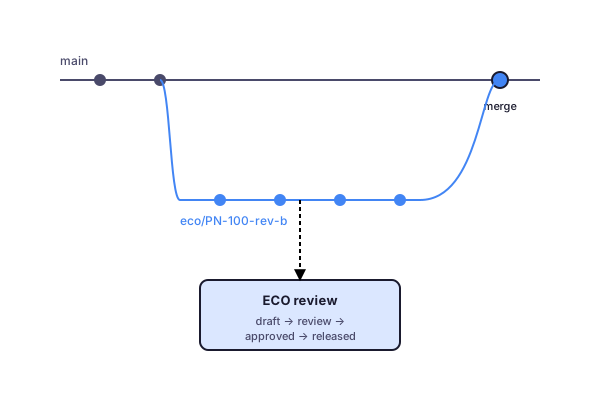
A BOM edit in the dashboard becomes a commit on a branch — usually the working branch tied to an active ECO. Once the ECO is approved, that branch merges into main.
On disk
parent: ASSY-PCB-001lines: - part: R-10K-0603 qty: 4 reference_designators: [R1, R2, R3, R4] - part: C-100N-0402 qty: 12 alternates: [C-100N-0603]See plm boms for the CLI surface.