
Workspaces & branches
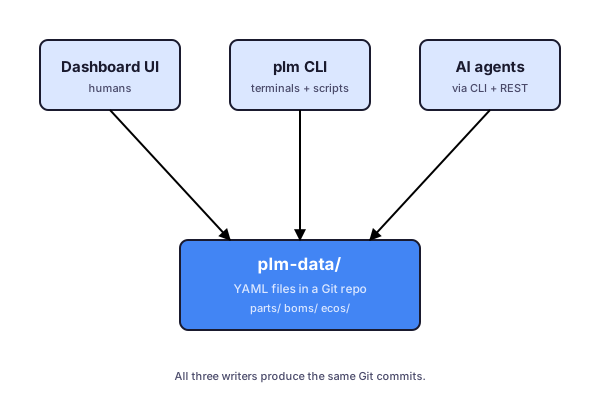
Every organization in simple-plm has a workspace — a single Git repository of YAML files at plm-data/. There is no separate database for PLM records; the repo is the database. The dashboard, the plm CLI, and AI agents all read from and write commits to this repo.
Branches map to proposals
When you propose a change — typically by opening an ECO — simple-plm creates a Git branch off main (e.g. eco/ECO-2026-014). Subsequent edits in the dashboard or CLI commit to that branch. When the ECO is approved, the branch merges into main. When it’s rejected, the branch can be discarded or revised.
Branches let multiple ECOs progress in parallel without stepping on each other. The dashboard’s branch switcher (top-left, next to the org switcher) lets you preview what the repo looks like on any open branch.
Conflict resolution
If two ECOs touch the same line in the same file and both reach approval, Git surfaces a merge conflict. The dashboard exposes a three-way diff view so the second-approved ECO can be reconciled before merge. The conflict resolution itself is just a regular commit on the ECO branch.
Why Git?
Engineering teams already trust Git for source code, schematics, and CAD. Putting PLM data in the same tool means:
- A single audit trail across firmware, mechanical, and PLM.
- No bespoke versioning system to learn.
- Easy backup, mirroring, and bring-your-own-storage.
- Branches and pull requests as a model your team already understands.
The trade-off is that very large attachments (gigabyte STEP files, lengthy datasheets) live as Git LFS objects, not raw blobs. The dashboard hides this; you’re more likely to notice it if you clone the repo locally.