
ECOs
An ECO (Engineering Change Order) is a proposed change with an approval trail. In simple-plm an ECO is a YAML file that describes what is changing, why, and who signed off — sitting alongside a Git branch that contains the actual part- and BOM-file edits the ECO authorizes.
States
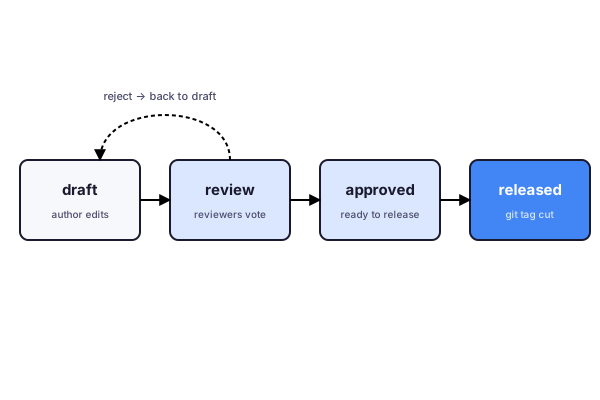
- draft — the author is still editing. No reviewers notified.
- review — reviewers are pinged. They comment and vote.
- approved — quorum reached; the ECO is ready to release. The underlying branch is mergeable.
- released — merged into
mainand tied to a release tag.
A rejected ECO drops back to draft for revision; nothing is ever silently dropped. The full state-transition log lives in the ECO YAML file itself.
Who can review
Reviewers are configured at the org level. Members with the reviewer role can approve; owner and admin are reviewers implicitly. See Organizations for the role table.
On disk
id: ECO-2026-014title: Switch C12–C18 to AEC-Q200 gradestate: reviewauthor: alice@example.comcreated: 2026-04-12reviewers: - bob@example.com - carol@example.comparts_changed: - C-100N-0402description: | AEC-Q200 part is in stock and ~3% cheaper. No fit/form impact.The dashboard renders this as a friendly review screen with side-by-side diffs of the affected part and BOM files. See plm ecos for the CLI.